Understand the data first
Preview rows, inspect columns, summarize completeness, count distinct values, find records, and run SQL-style analysis before changing the file.
 ToyoRequest access
 Checking your session and preparing the requested page.
ToyoRequest access Work across CSV and Excel data in an editable spreadsheet with file-aware analysis tools, validation, transformation, merging, and export paths.
Inspect, clean, transform, query, chart, validate, and export CSV and Excel data in context.
The desktop editor keeps the active table, selection, formula bar, sheet state, and a movable file-aware composer together.
Preview rows, inspect columns, summarize completeness, count distinct values, find records, and run SQL-style analysis before changing the file.
Add or rename columns, update cells, insert or remove rows, replace values, manage sheets, and apply supported workbook formatting.
Export matching rows, consolidate files, merge on keys, append datasets, create charts, and save the result back into the workspace.
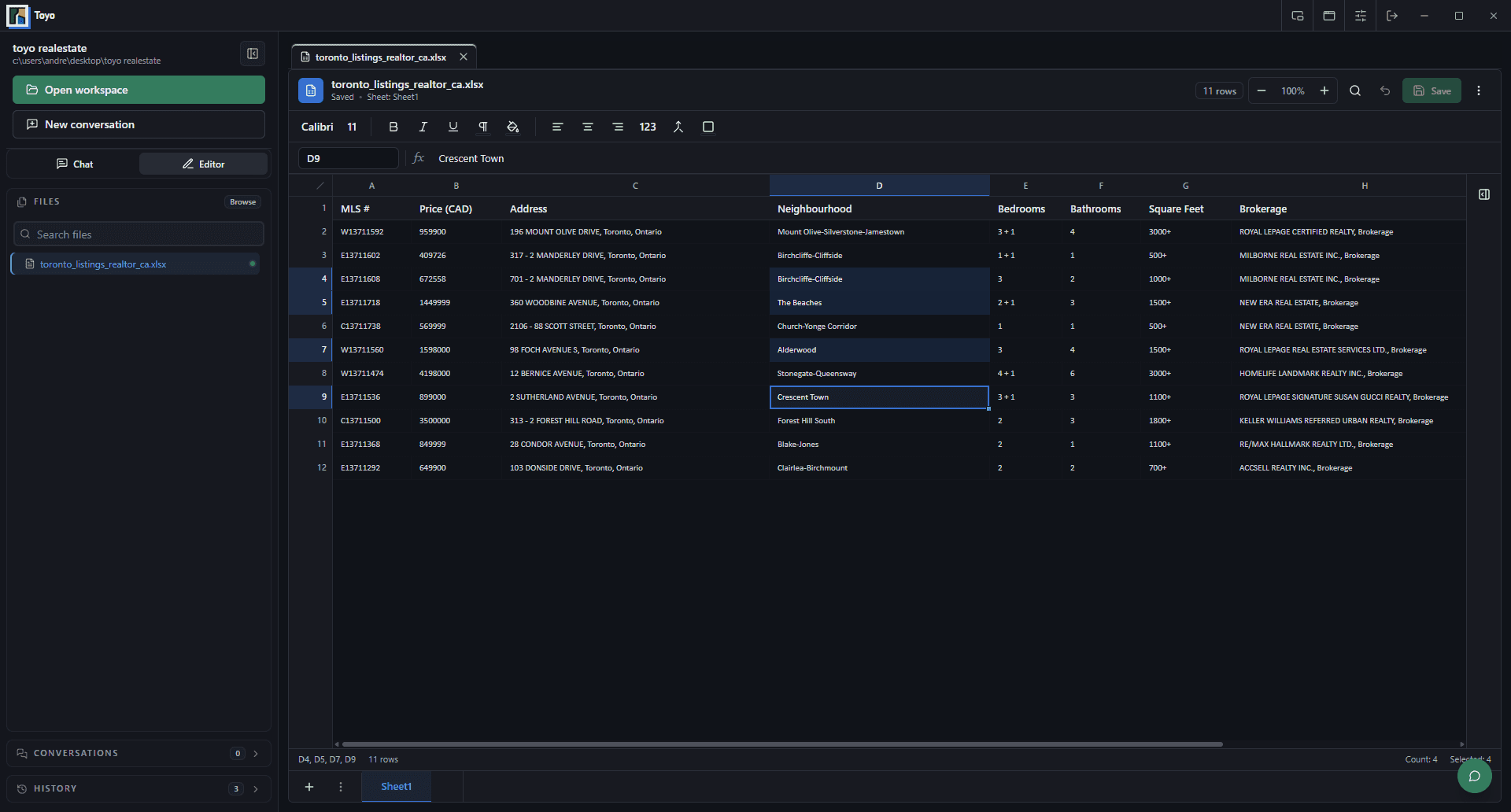
The spreadsheet remains visible while Toyo uses tools that understand tabular structure, selected ranges, and workbook context.
Use the spreadsheet, formula bar, sheet tabs, and selected cells to establish the working context.
Describe the cleanup, QA rule, comparison, merge, analysis, or export you need.
Review the changed spreadsheet or generated artifact, run focused checks, and save the accepted result.