See the current page
The browser state, URL, title, screenshots, and action trail remain part of the desktop workflow instead of disappearing behind an opaque automation.
 ToyoRequest access
 Checking your session and preparing the requested page.
ToyoRequest access Toyo can navigate, read, click, type, scroll, capture screenshots, and download supported public files through a managed visible browser.
Navigate and interact through a visible managed browser with page state and actions in view.
Toyo exposes the managed browser state where the request begins, with separate settings for site access, lifecycle limits, downloads, and isolated profiles.
The browser state, URL, title, screenshots, and action trail remain part of the desktop workflow instead of disappearing behind an opaque automation.
Toyo can follow links, fill fields, select options, and work through bounded interactions when reading alone is not enough.
Supported public downloads such as PDFs, spreadsheets, CSVs, text, JSON, and images can be brought into a dedicated workspace folder.
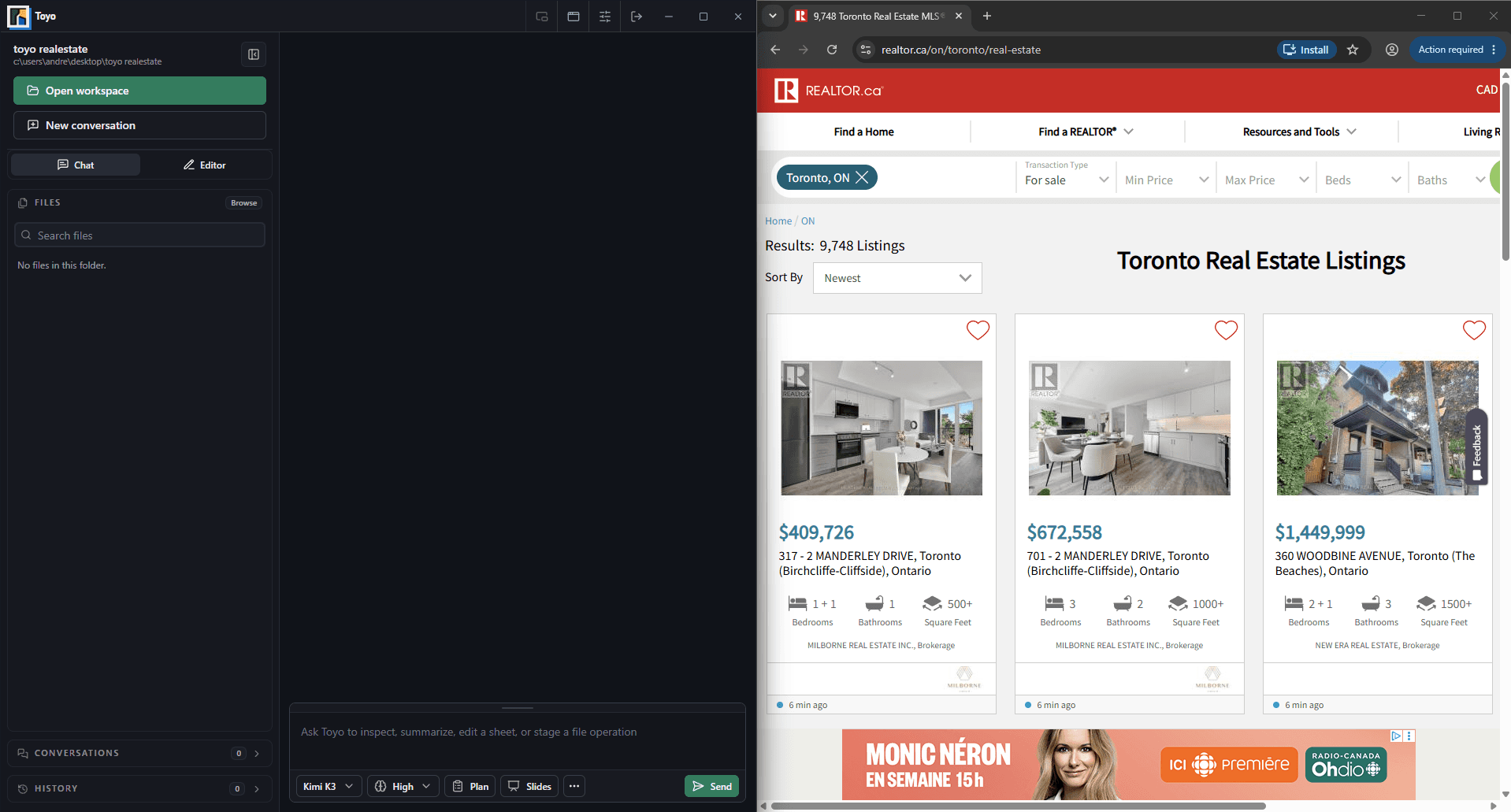
Browser control connects research and action to the same workspace where the final document, spreadsheet, or decision will live.
Start with a URL, a visible search, or an existing managed browser session.
Toyo can inspect visible content, page structure, accessibility data, or extracted text before choosing the next interaction.
Follow the action trail and keep useful findings, screenshots, or safe downloads with the task.